0AMS starts with a zero. Keep your AMS1, AMS 2 Pro or AMS HT exactly as it is, with its original controller board and its Bambu Lab firmware, and connect it to Klipper through the Cortex Bridge (the 0AMS bridge).
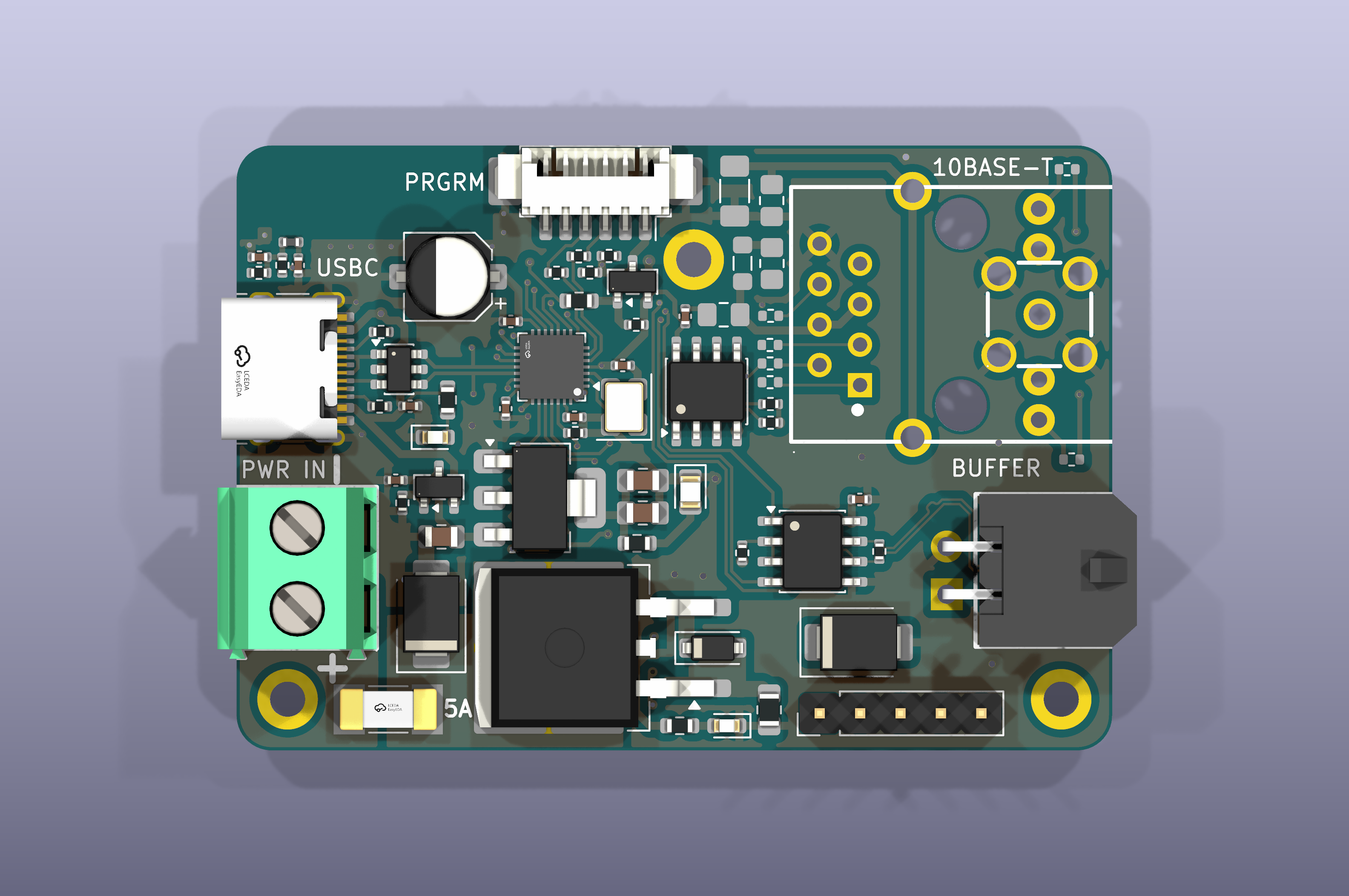
Zero means no replacement AMS controller board, no OpenAMS FPS board and no flashing: Bambu Lab's standard AMS filament buffer does the FPS's job. You need the Cortex Bridge (revision A4) in its printed case, 24 V from your printer's power supply, the cables, the supplied stronger buffer spring, and a 3 mm ID PTFE filament path to your printer. Your printer controller and toolhead stay as they are.
¶ How it works
The bridge takes the printer's place on the AMS bus. It connects to the Klipper computer by USB, and to the AMS network through the original AMS filament buffer. Up to four AMS units are daisy-chained behind the buffer:
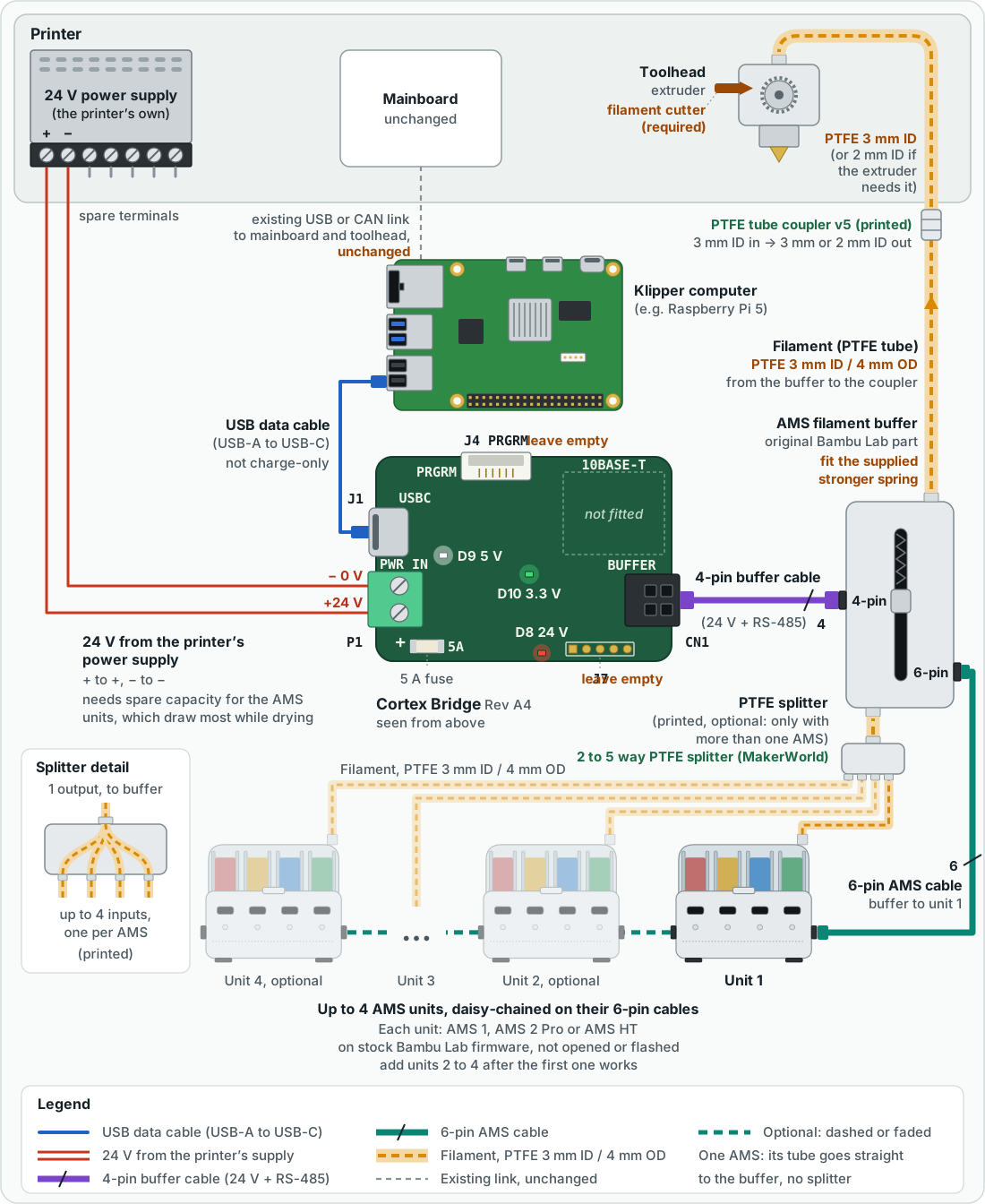
On the host, OpenAMS presents each AMS to Klipper, and the OpenAMS panel shows it in Mainsail. The AMS keeps running its own motors, sensors, RFID and drying under its stock firmware.
¶ Start here
- Before you start — parts, backups, the stronger buffer spring and the filament path.
- Print and mount the case — files to print, assembly, mounting and the bill of materials.
- Quick start: stock AMS firmware — wiring, software, configuration and the first load.
- Cortex Bridge board guide — what each connector, LED and chip on the board does.
Already installed? Using OpenAMS covers toolchanges, runout, filament groups and drying, and Configure explains every setting. When something is wrong, start with the quick start's troubleshooting table.
¶ Supported AMS models
| Model | Bays | Klipper device_kind |
|---|---|---|
| AMS1 / original AMS | 4 | ams1 |
| AMS 2 Pro | 4 | ams2 |
| AMS HT | 1 | ams_ht |
The bridge is designed for up to four AMS units on one bus. Begin with one AMS and add more only after the first one works. An AMS appearing online does not, by itself, qualify feeding, drying or an unattended print.
¶ What stays separate
The bridge handles the AMS RS485 network. It does not replace the printer's main controller, CAN adapter or toolhead board. A Scylla-to-EBB36 CAN setup, for example, remains a separate connection to the same Klipper computer.
Some existing software names still say OpenAMS, OAMS or Cortex. Do not rename configuration sections, services or commands just to match the new branding.